
Features
Load Safari tabs only when you view them
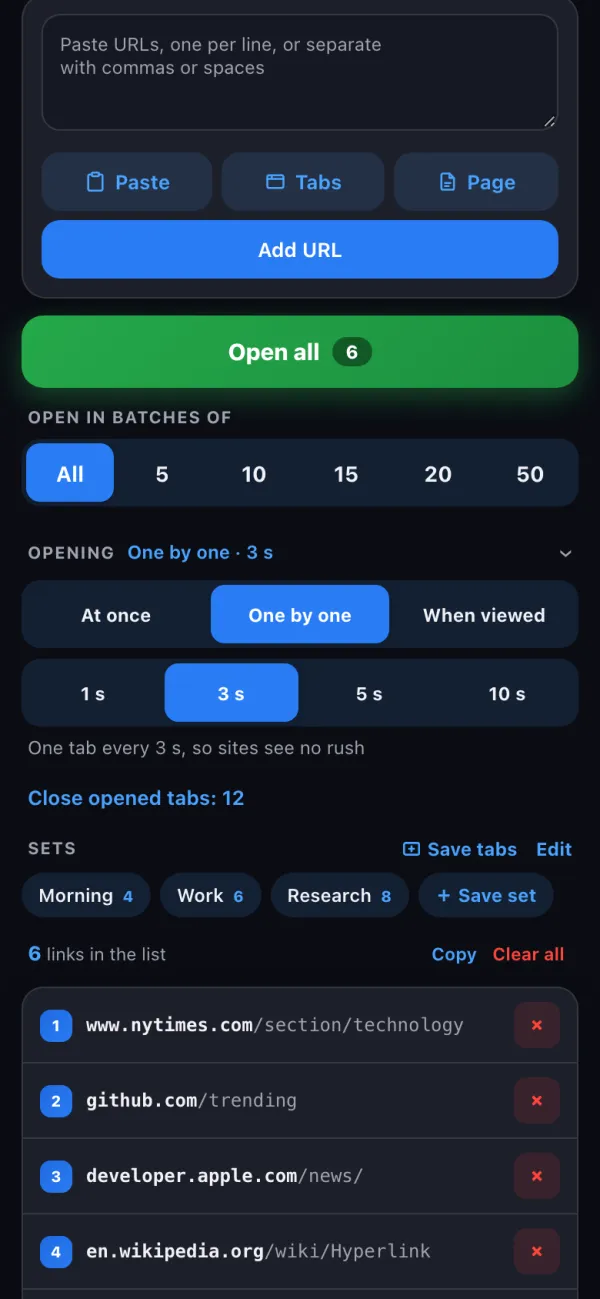
Safari has no setting to open tabs now and load them later. In MultiOpen, choose When viewed under Opening: each tab waits with a placeholder until you switch to it. One by one loads tabs in turn with a pause.
When viewed: a tab loads when you switch to it
- Put your links in the MultiOpen list: Paste and Add URL, Page, Tabs, or a Set.
- Under Opening, choose When viewed.
- Tap Open all. The first tab loads right away; every other tab waits until you open it, and has an Open now button.
Which option
| What happens | Good for | |
|---|---|---|
| When viewed | A tab loads when you switch to it | Reading lists, research |
| One by one | Tabs load in turn, 1, 3, 5 or 10 s apart | Many pages on one site |
| At once | All tabs load together | A handful of links |
For very long lists, add Open in batches of: Open 100+ links without freezing Safari.
Questions
Does Safari have a lazy tab loading setting?
No. Safari loads new tabs as you open them. MultiOpen adds When viewed, which loads each tab only when you switch to it.
Where does MultiOpen keep the setting?
Under Opening in the MultiOpen window. It stays as you set it on that device until you change it.

MultiOpen for SafariiPhone, iPad and Mac · 7-day free trial · Links stay on your device
Get MultiOpen